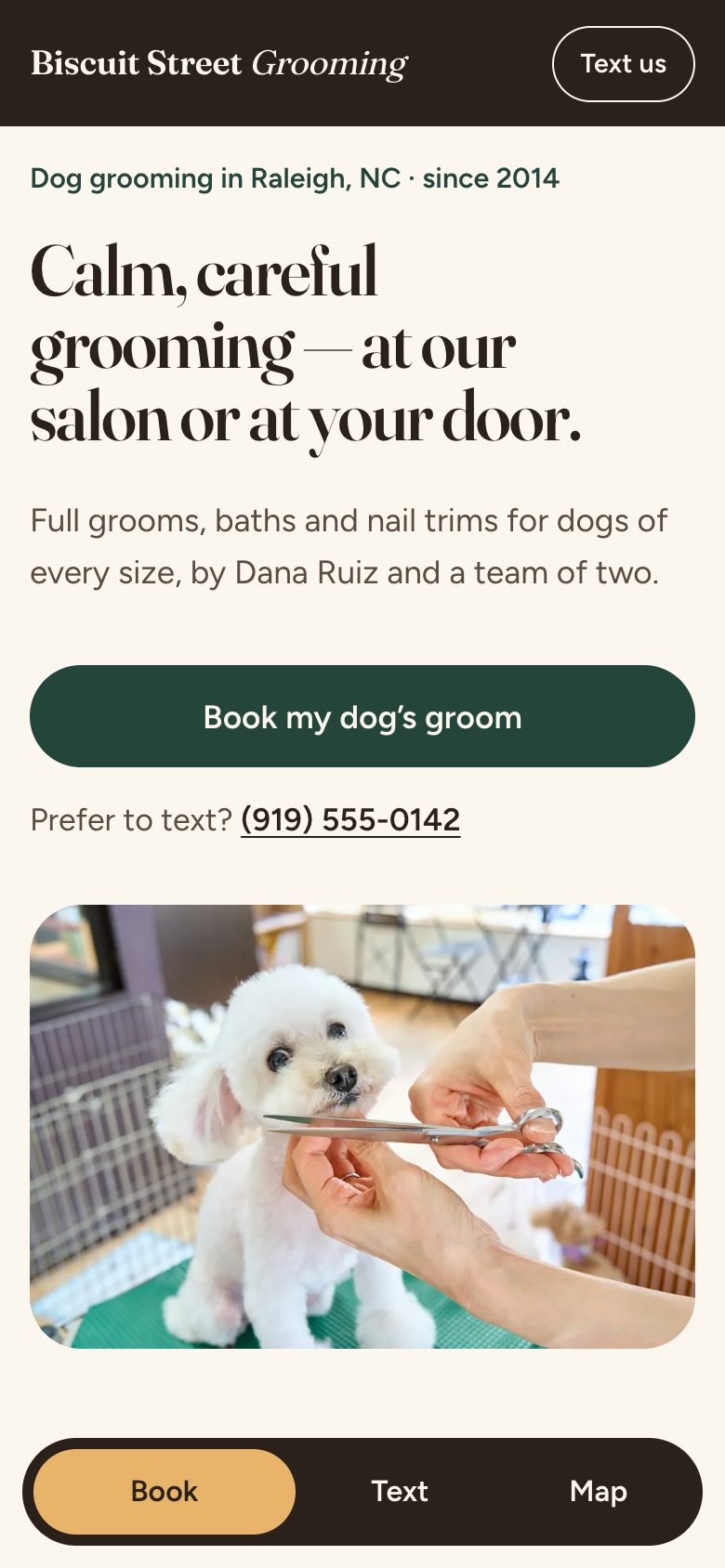
How to Make a Dog Grooming Website: We Built One, Step by Step
This is how we made a dog grooming website, in the order we did it. The salon is made up: Biscuit Street Grooming, a salon-and-van groomer in Raleigh, NC. We built its page to show real groomers what theirs could look like. The steps are the same ones we use for real clients, so you can follow them for your own page, whoever builds it.
In October we scanned 297 websites of independent groomers across the US. 186 had no online booking system, and 91 of those had a “Book now” button that didn’t open any booking software. The scan was automated, so a few results may be off. It still decided where this page puts its effort: the Book button.
Step 1: Start from what dog owners ask
Start with the four questions a new client wants answered before they trust you with their dog. We worked them out in our dog grooming website examples article by looking at groomers whose sites fill the schedule:
- Salon or mobile? And where, or which towns you drive to.
- Will my dog be OK with you?
- Roughly what will it cost?
- How do I book?
Every section of the page answers one of these. If a section doesn’t answer any of them, it doesn’t go on the page.
Step 2: Write the whole page in plain words first
Before choosing any colors or fonts, we wrote the entire page as plain text, top to bottom, in the words that would ship. Where a photo would go, we described what it had to show. Under every section we wrote one line saying why it was there.
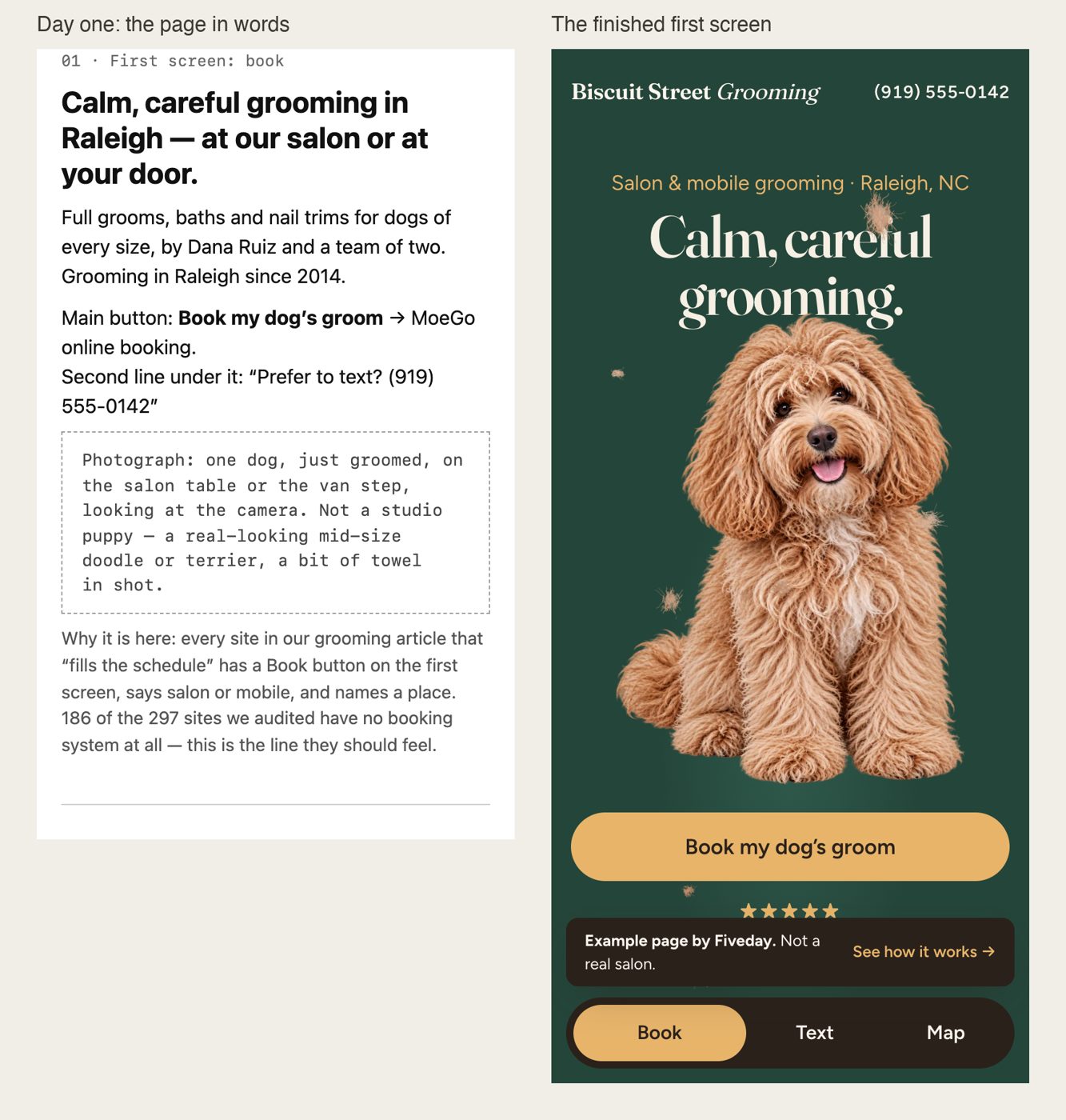 Left: the first screen as we wrote it. Right: the same screen designed.
Writing first has two benefits. You settle what the page says and in what order, and colors come later. And a page of plain text costs nothing to throw away. A designed page feels expensive to throw away, so people keep a weak one.
At the top of the draft we kept a list of what was still open: the photos, the booking link, and checking that no real salon in Raleigh already uses the name. Write gaps down like this. Made-up filler text has a way of ending up on the live page.
The page, section by section
Here is the order we settled on, with the reason for each section.
1. First screen: book. Where you groom, one line of proof, and a “Book my dog’s groom” button. The proof line is “4.9 from 214 Google reviews · grooming since 2014”. On a demo those numbers are invented, so the page says it’s a demo. On yours they’d be your real ones.
2. Salon or van. Two short blocks. The salon has a street address and “drop off in the morning, we text you when they’re ready”. The van has every town it drives to and the trip fee. For a mobile groomer, that list of towns does a lot of the selling.
3. Prices. Starting prices by size, the add-ons, and one honest line: matted coats and very nervous dogs can cost more, and you say so before you start, never after. Owners don’t expect an exact quote, but they want to know what the price depends on.
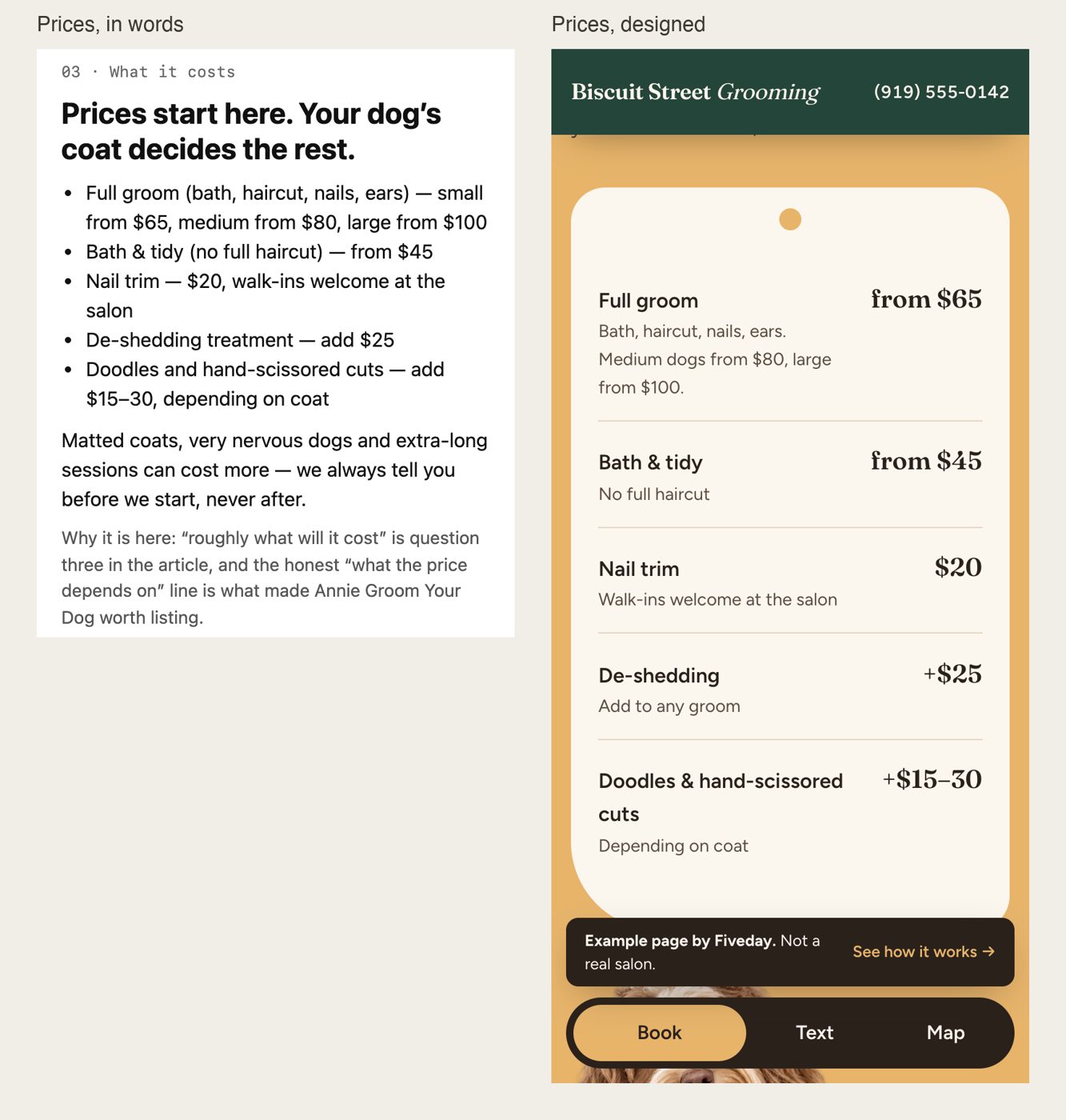 The same words before and after design.
4. Nervous, old and special dogs. “For dogs who don’t love the groomer.” Quiet first slot of the day, breaks, and you stop if the dog has had enough. This answers the question that decides most first bookings: will my dog be OK with you? Below it is a short list of specialties: teddy bear cuts, hand scissoring, doodle coats, a puppy’s first groom.
5. Proof. A before-and-after pair of the same dog, plus short reviews that name the owner and the dog’s breed.
6. First visit. Rabies certificate, what to tell you about allergies or nerves, how long a groom takes, and the cancellation rule. These are the questions new clients would otherwise call about.
7. Book again. The button a second time for new clients, “Regulars, just text Dana” for everyone else, and the hours for the salon and the van.
8. Footer. Name, address and phone, once more, for anyone who scrolled to the bottom looking for them.
Step 3: Design it, and cut words for the phone
Only once the words were settled did we design the page. Two changes made the biggest difference on a phone:
- The headline got shorter. “Calm, careful grooming in Raleigh — at our salon or at your door” became “Calm, careful grooming.” The city and “at our salon or at your door” moved to a small line above it, so the headline reads at a glance. On a phone that line is shorter still: “Salon & mobile grooming · Raleigh, NC”.
- The Google rating moved up. In the draft it sat in the reviews section. On the finished page it sits right under the Book button, where people decide whether to tap it.
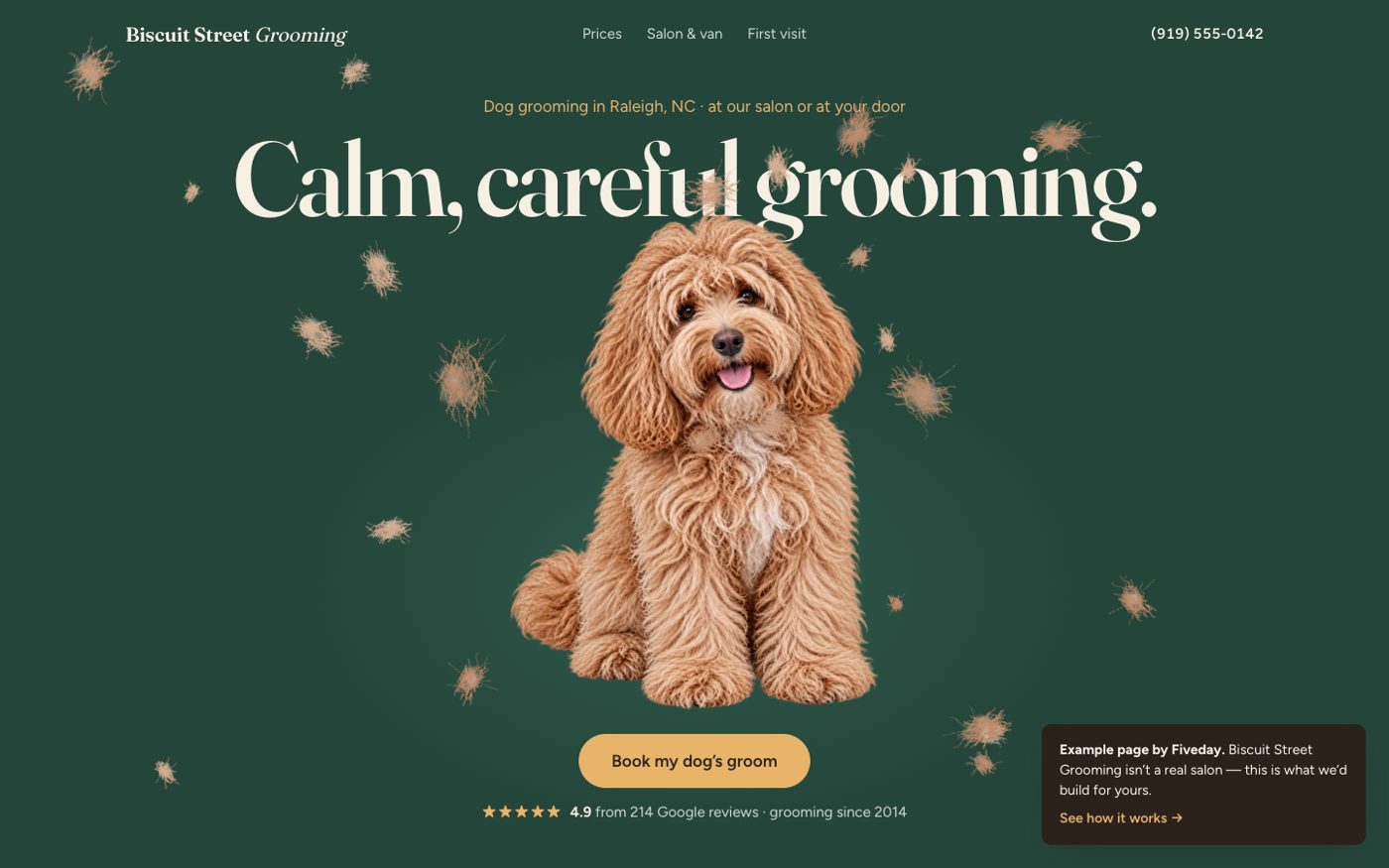 The first screen on a desktop. Move the mouse over the dog and the loose coat blows away.
We also added one playful touch. The dog on the first screen starts out shaggy. On a desktop the mouse works as a dryer, and on a phone a swipe does the same. Wherever it passes, loose tufts lift off and the groomed dog shows through.
It’s only decoration, so it never gets in the way. Anyone whose phone or browser doesn’t run the effect simply sees the groomed dog, and the effect can’t catch a tap meant for the Book button. You don’t need anything like it to get bookings. We built it because it shows what a groomer sells: the same dog before and after.
How we kept a demo honest
A dog owner could land on a demo from search and try to book, so it has to be obvious that the business doesn’t exist:
- A note on every screen says it’s an example page and not a real salon.
- The phone number is in the 555-01xx range, which is set aside for fiction, so it can’t ring anyone.
- The Book button opens a note explaining what it would do on a real page: go straight into the booking system the groomer already uses, such as MoeGo or Square.
- The before-and-after pair is an illustration, and the caption says so.
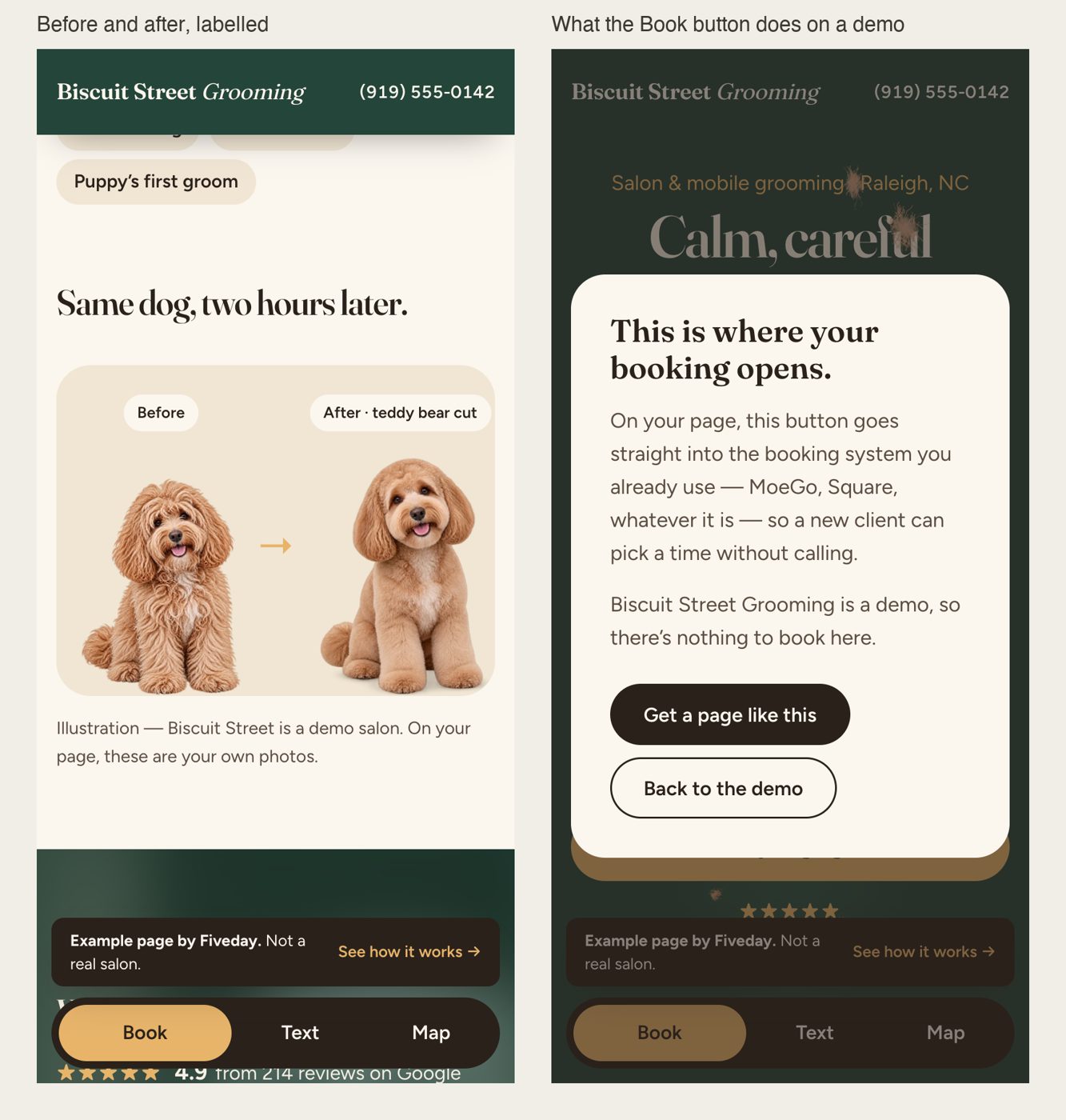 On a real groomer’s page, both of these are real: your own photos and your own booking link.
What changes for a real salon
When we build this for a paying groomer, three things are different:
- The Book button opens your own booking system. Only 98 of the 297 sites in our scan had booking software, and more than 80 of those used MoeGo. If you don’t have booking software yet, you open an account in your own name and we connect it for $150.
- You choose the look. Before building the whole page, we design the first screen in two different ways and you pick one. The demo had no client to choose, so we skipped that step.
- Every number and photo is yours. Prices, towns, trip fee, years in business, review count, and pictures of dogs you groomed. A simple way to get before-and-after shots is to take one at drop-off and one at pickup, from the same angle. If a number isn’t true yet, it doesn’t go on the page.
A checklist to build your own
- Write the four questions at the top of a blank page
- Write every section in plain words before you pick a template or colors
- Under each section, write one line on why it’s there, and cut sections that have no reason
- First screen: where you groom, one proof line, a Book button
- Salon or mobile, and the towns you drive to, right after the first screen
- Starting prices by size, and what makes them go up
- A section for nervous and senior dogs
- First-visit rules: vaccines, timing, cancellations
- Before-and-after photos of dogs you groomed, same angle
- On your phone: tap the number, tap Book, and make sure both work
Build it yourself, or have it built
You can follow every step above with a site builder like Squarespace or Wix and a free evening for the writing. The writing is the hard part, and it’s the part that gets bookings. If you’d rather not write it, we do the whole thing: about fifteen minutes of plain questions, then we write every word and build a custom one-page site with your photos, prices and booking link. It’s live in five business days for a flat $1,000, with no monthly fees.