5 Dog Grooming Website Examples That Fill the Schedule
Search for dog grooming website examples and you’ll mostly get template galleries full of stock photos of fluffy puppies. Cute, but not much help if you’re a groomer trying to keep the calendar full.
This list is judged by one thing: does the site make it easy for a dog owner to trust you and book? Every example below is a real, independent groomer or small local salon, picked for what a visitor gets in the first few seconds on a phone.
What a dog grooming website has to do
Dog owners are picky about who handles their dog. Regulars already know you; your site is mostly working on new clients, and they want to know:
- Salon or mobile? And where, or which areas you drive to.
- Will my dog be OK with you? Experience, calm handling, care for nervous or older dogs.
- Roughly what will it cost? Or at least what the price depends on.
- How do I book? Online, by text, or by calling.
The examples
1. LOBO — Austin, TX
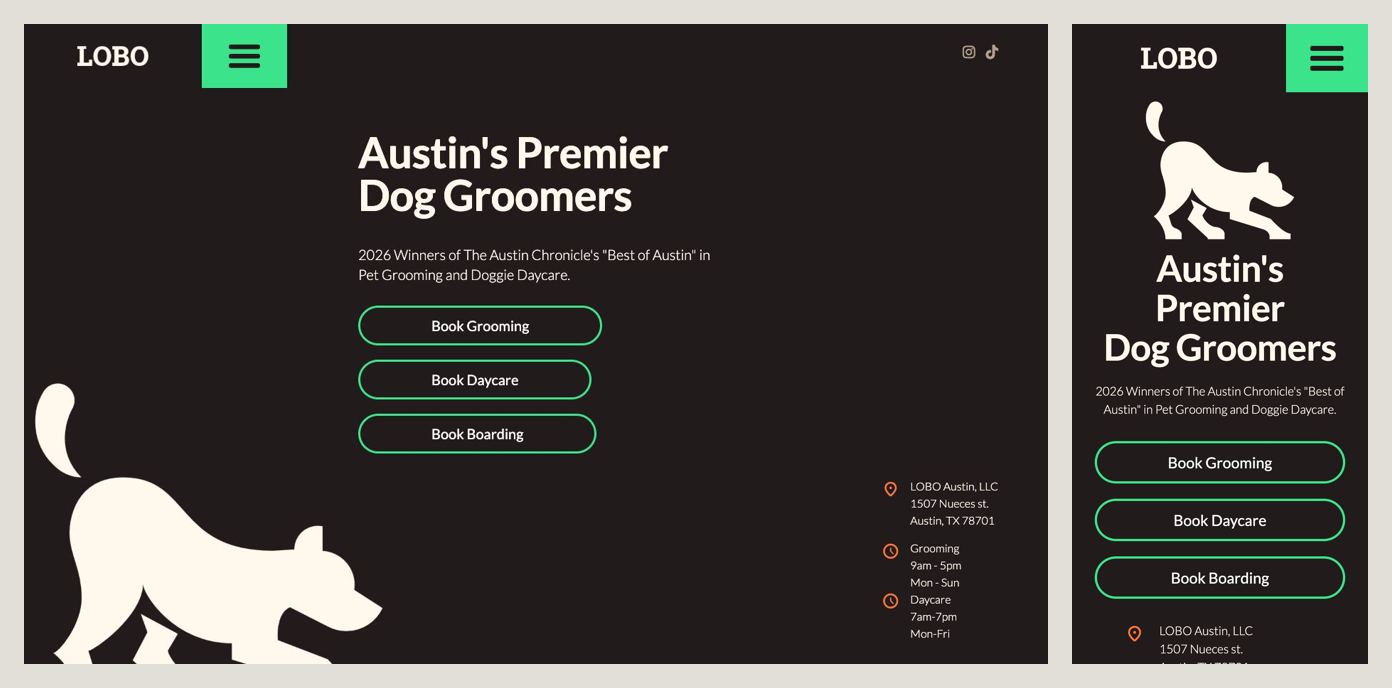
The headline is short, Austin’s Premier Dog Groomers, and the line under it backs it up with something checkable: 2026 winners of The Austin Chronicle’s “Best of Austin” in pet grooming and doggie daycare. Then three big buttons, one for each service: Book Grooming, Book Daycare, Book Boarding. Further down, the site answers the question owners of older dogs worry about: their groomers are trained to care for aged, deaf, blind, arthritic and diabetic dogs.
Steal this: if you offer more than one service, give each its own Book button. Nobody should have to read a menu to figure out how to book a groom.
2. Annie Groom Your Dog — Denver, CO
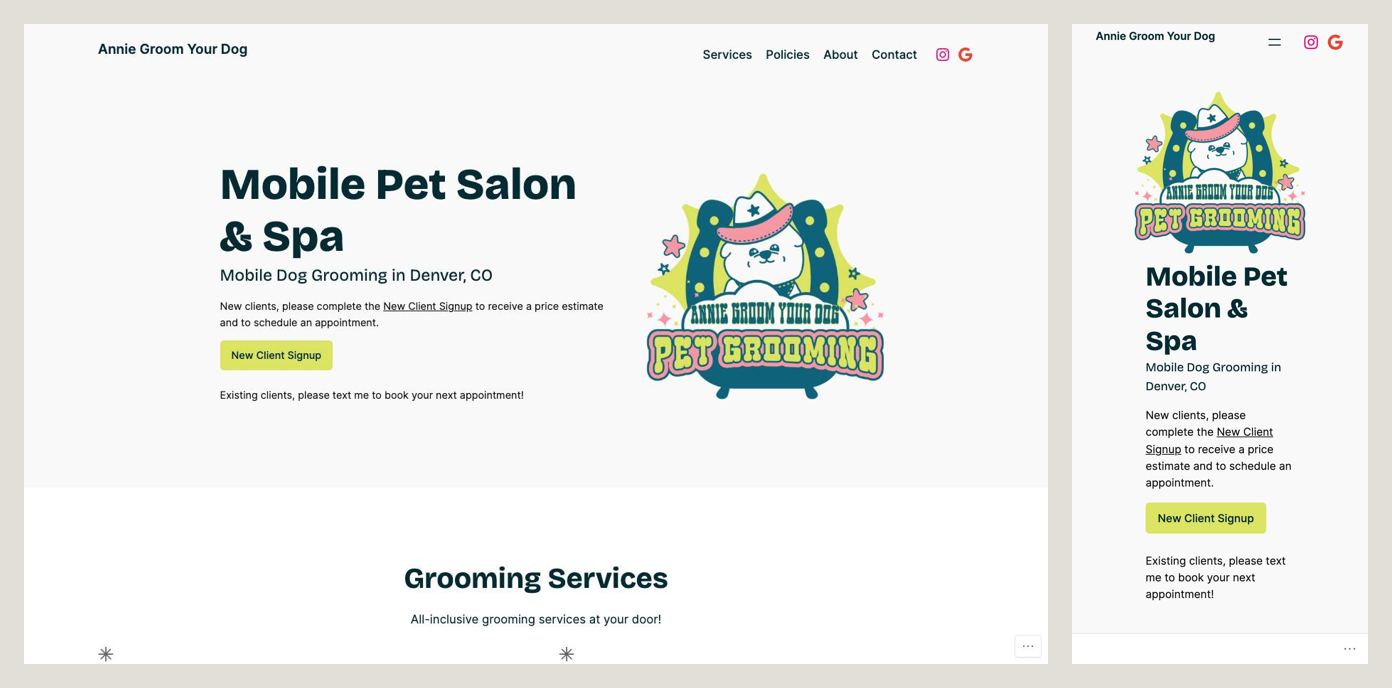
This is a one-person mobile business, and the site leans into it. The first screen says what it is (Mobile Pet Salon & Spa, Mobile Dog Grooming in Denver, CO) and then splits visitors in two: new clients fill out a sign-up form to get a price estimate and an appointment; existing clients text Annie to book the next one. The site is honest about price, too: it explains that prices vary by size, temperament, coat condition and haircut complexity, and that poodle mixes and hand-scissored cuts cost more.
Steal this: treat new and returning clients differently. Regulars want a quick text, new clients need a form, and one site can offer both without confusing anyone.
3. The Dog Salon — Charlotte, NC
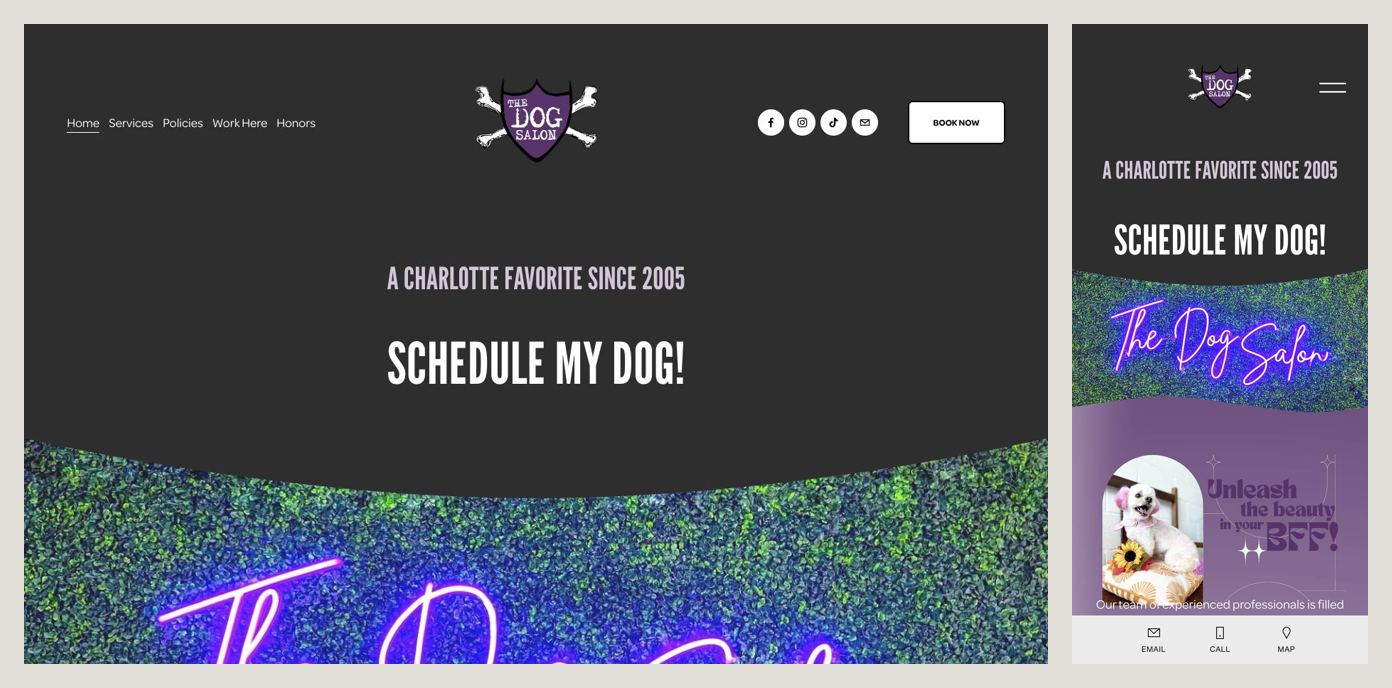
Two lines and a button. A Charlotte Favorite Since 2005, then a huge Schedule My Dog! button that goes straight to online booking. The button is written in the customer’s voice, and it’s the biggest thing on the screen. At the bottom of the phone screen, a fixed bar keeps Email, Call and Map one tap away.
Steal this: write your main button the way a customer would say it. “Schedule my dog!” is more inviting than “Book appointment”.
4. Mobile Pet Shine — Denver, CO
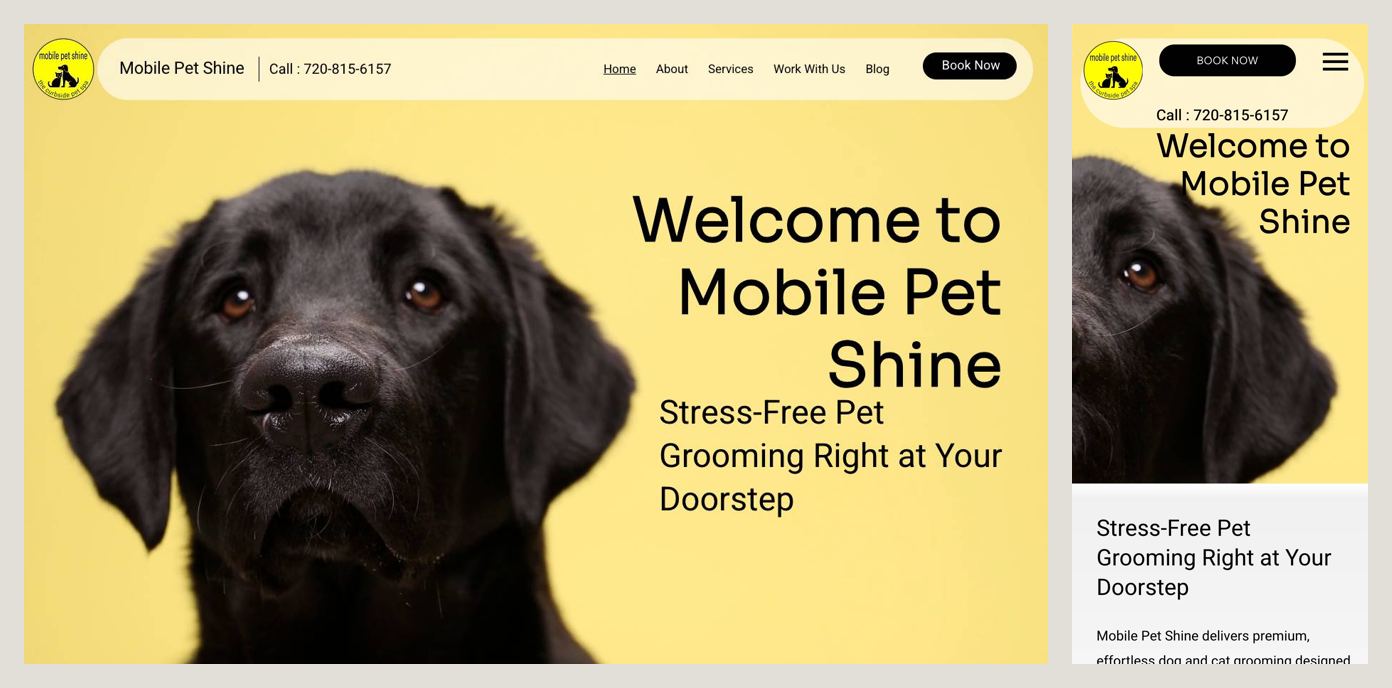
Book Now and the phone number are on the first screen, and the subheading makes the main argument for mobile grooming: Stress-Free Pet Grooming Right at Your Doorstep. No car ride, no waiting in a kennel. The site also has a page for each area it serves (Denver, Englewood, Aurora, Parker, Highlands Ranch, Centennial, Broomfield), so someone searching for a groomer in their own suburb finds a page about that suburb.
Steal this: for a mobile business, the service area is the sales pitch. List the actual towns you drive to.
5. The Dogs Club — Charlotte, NC
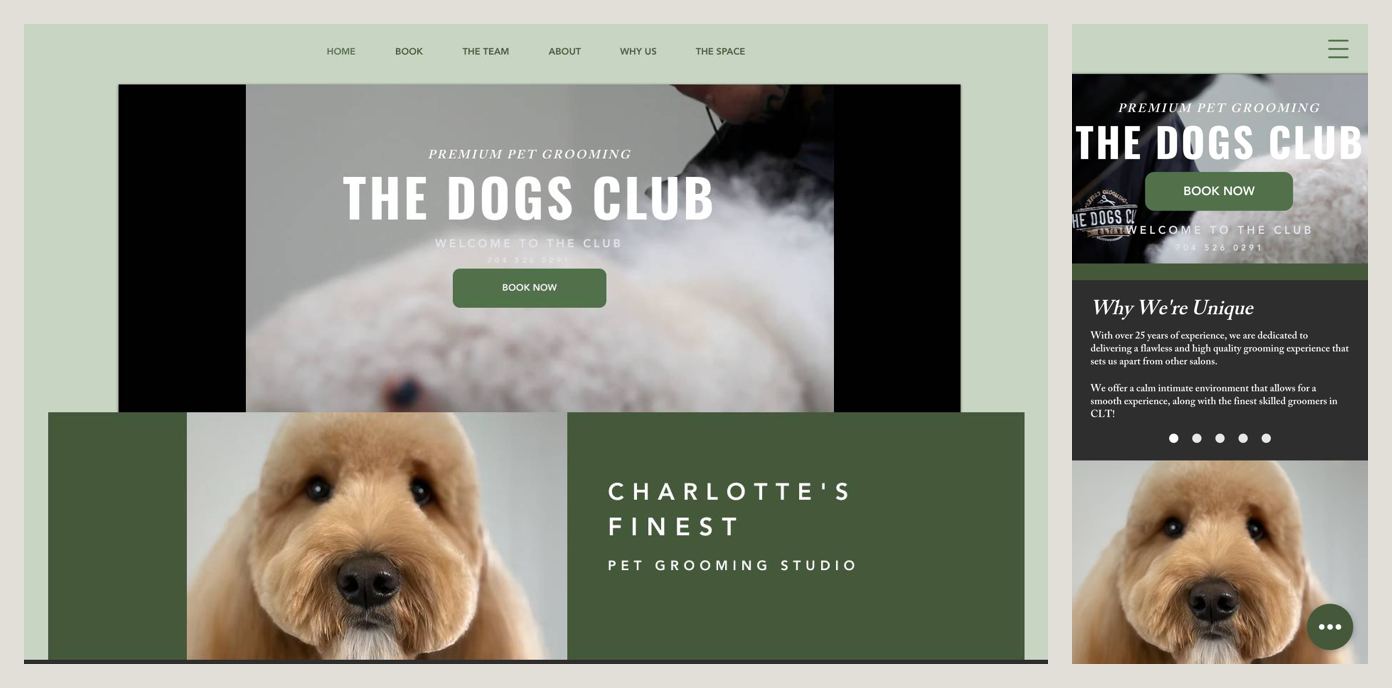
Premium Pet Grooming, the salon’s name in large type, a Book Now button and the phone number, all on the first screen. Right under it, a short “Why We’re Unique” section speaks to anxious owners: over 25 years of experience and a calm, intimate environment. Further down, it names the specialist work it does: hand scissoring, teddy bear grooms, creative color and hand stripping.
Steal this: name your specialties. An owner with a doodle who wants a teddy bear cut is looking for exactly those words.
What they all have in common
- A Book button on the first screen, usually going straight to online booking.
- A clear “salon” or “mobile”, plus where.
- Something that calms the owner: years of experience, calm environment, care for special-needs dogs.
- A reason to believe it: an award, a “since 2005”, a real person’s name.
The mistakes that cost bookings
The grooming sites that didn’t make the list had a few things in common:
- A discount pop-up as the first thing you see. It covers the only button that matters.
- A headline about something else. One salon’s biggest line was about boarding, not grooming.
- A security check page instead of the website. A dog owner on their phone won’t wait for it.
- No booking option at all, just “Contact us” or “Learn more”.
- Inconsistent names. If your logo, headline and footer use different business names, people wonder if they’re in the right place.
A checklist for your dog grooming website
First screen, on your own phone:
- Salon or mobile, and your city or areas
- A Book button that opens real booking
- A phone number or text option
- One trust signal: years, an award, reviews, your name
- A photo of a dog you groomed, not a stock puppy
Further down the page:
- Your services: bath, full groom, nails, de-shedding, specialty cuts
- What prices depend on, or starting prices by size
- How you handle nervous, senior or special-needs dogs
- Vaccination and first-visit requirements
- Before and after photos and real reviews
Build it yourself, or have it built
You can build all of this yourself with a site builder: pick a template, connect your booking app, and work through the checklist above. Plan on a few evenings and a monthly subscription. If you’d rather spend those evenings with your clients, that’s what we do: a custom one-page site with your photos, your prices and the copy written for you, with your existing booking system wired in. It’s live in five business days for a flat $1,000, with no monthly fees.
Either way, start with the first screen. That’s where the booking is won or lost.